Investment and morgage planning using TVM formula
Table of contents
What is TVM
TVM formula, or in its full form, Time Value of Money, is a mathematical formula that allows us to calculate the value of money at some point in the future if we know what is the rate of its appreciation or depreciation.
It is the main tool for assessment of investments and loan management. It is used across the world in the financial sector, and here we will go through a couple of practical examples of how we can use it in our every day life.
The formula
The formula is:
\[FV=PV(1+ \frac{i}{n})^{nt}\]where:
- FV = Future value of money
- PV = Present value of money
- i = Interest rate
- n = Number of compounding periods per year
- t = Number of years
The tools
This formula is implemented in all financial applications, including Excel, LibreOffice Calc, all banking systems and in several calculators.
There is a whole category dedicated to financial calculations with calculators such as HP 12c and HP 10b etc. HP 12c is the gold standard in financial calculators and has been in production for several decades and is being taught in financial courses in various universities and colleges across the world.
These calculators have dedicated keys for all the variables of the TVM formula, allowing quick and easy calculation of one of these variables if we provide the others.
For the purposes of this demonstration, we will use another HP calculator called HP Prime. HP Prime has been consistently in the list of top 5 programmable and graphing calculators for the past 10 years. HP Prime exists in various forms, it exists as a physical calculator, as a computer app for most platforms and as a mobile app for Android and iOS. The reason we will use it, is because it has a nice form that makes visualisation of the process easier.
TVM implementations exists in various shapes and forms, some of these apps are free and can be used on any phone. We will go through that as well, but our main tool for this demonstration will be HP Prime.
The user interface
As we can see in the screenshot, HP Prime offers a nice graphical form where we can input our parameters.
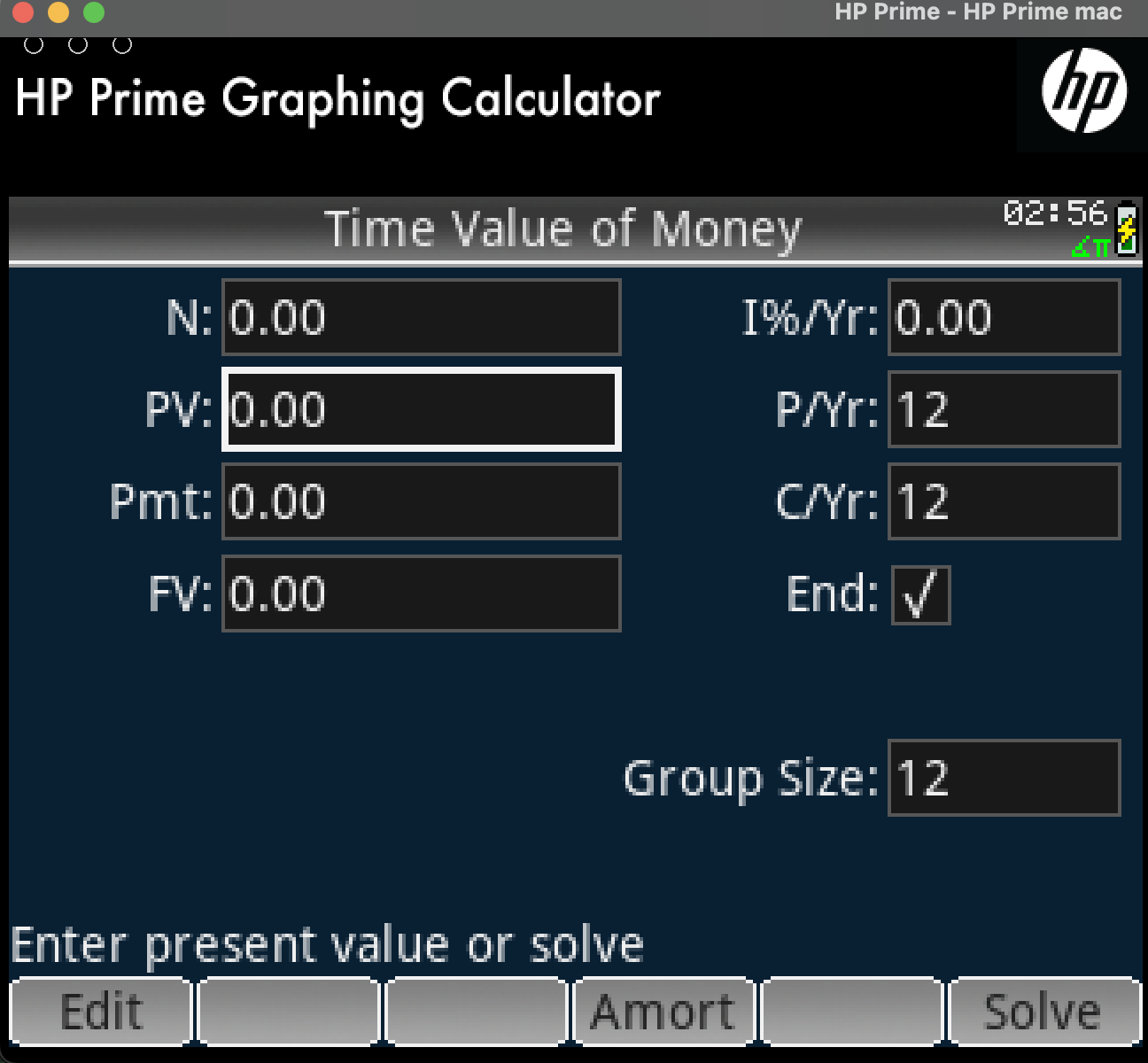
These parameters are basically the various variables of the TVM formula with a few additional details such as payments per year and compounding payments per year. Also, we can choose if the interest is going to be calculated at the start or the end of a month.
One of the genius ideas when HP first designed its calculators was that behind this interface there is a numeric solver which is very powerful. We can input any formula, not just TVM, provide some of the variables and solve for one of them. This elevates the calculator from a teaching tool, to a professional tool.
Any engineer or financial/mortgage/real estate consultant can use this powerful solver in their day-to-day business in the field, during meetings or even in the office, although usually today when in the office people have access to more comprehensive tools.
All the above mean that we can solve for any one of the variables of the TVM formula if we provide the rest. We will put this functionality in good use during our examples.
Examples
It is time now to go into our examples, starting from simpler and proceeding to more complex ones. In order to make the whole exercise currency agnostic, we will use the fictional currency of bananas.
Car finance 1
As our first example, let’s use the classic case of car financing. How much would a person pay per month for a car with initial cost of 11.000 bananas if it is financed over 5 years (60 months) with an interest rate of 8.1%. In order to do this, we fill in the HP Prime Finance form with all the values except the payment like so:
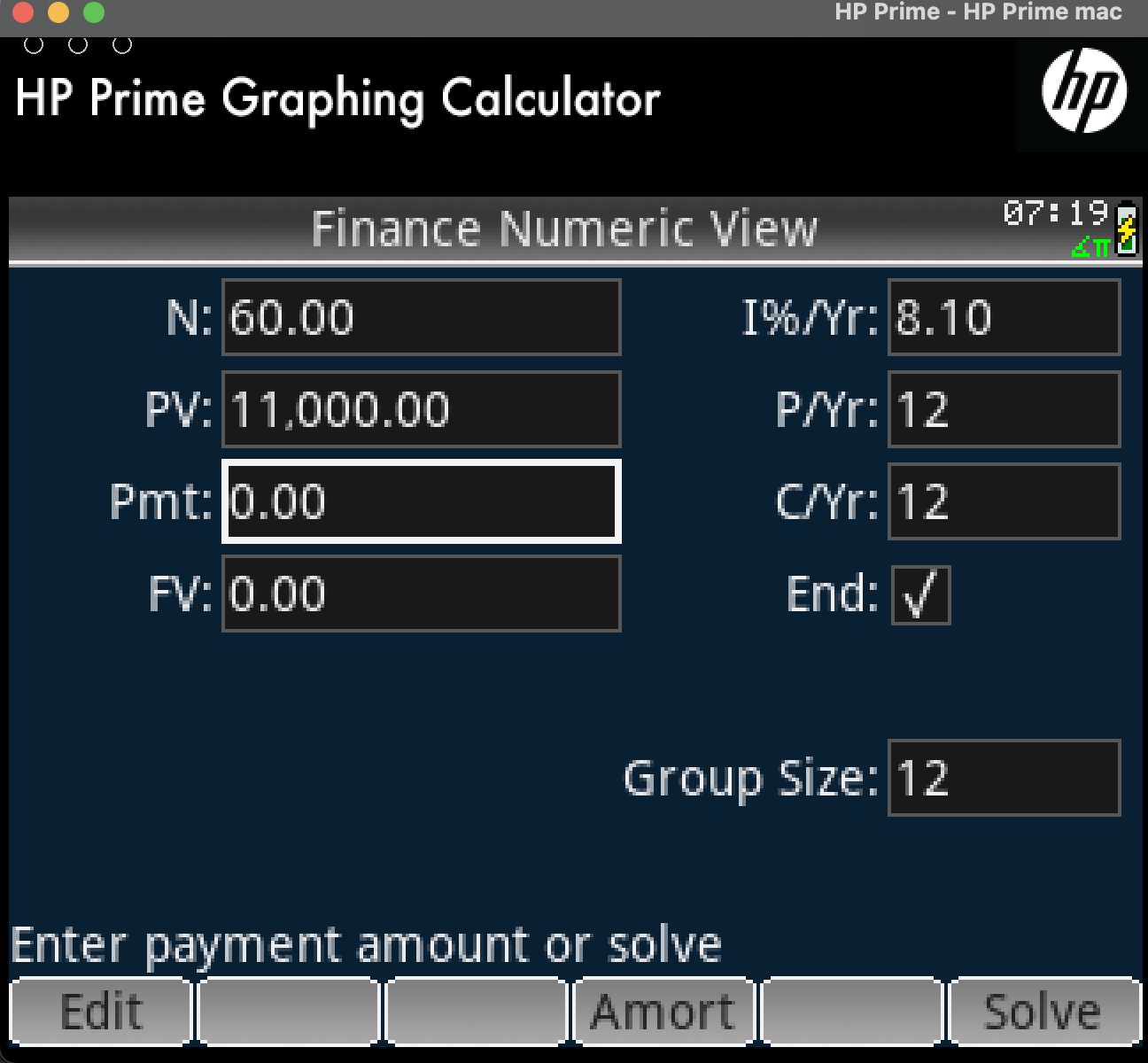
All we need to do is to highlight the payment field and hit solve:
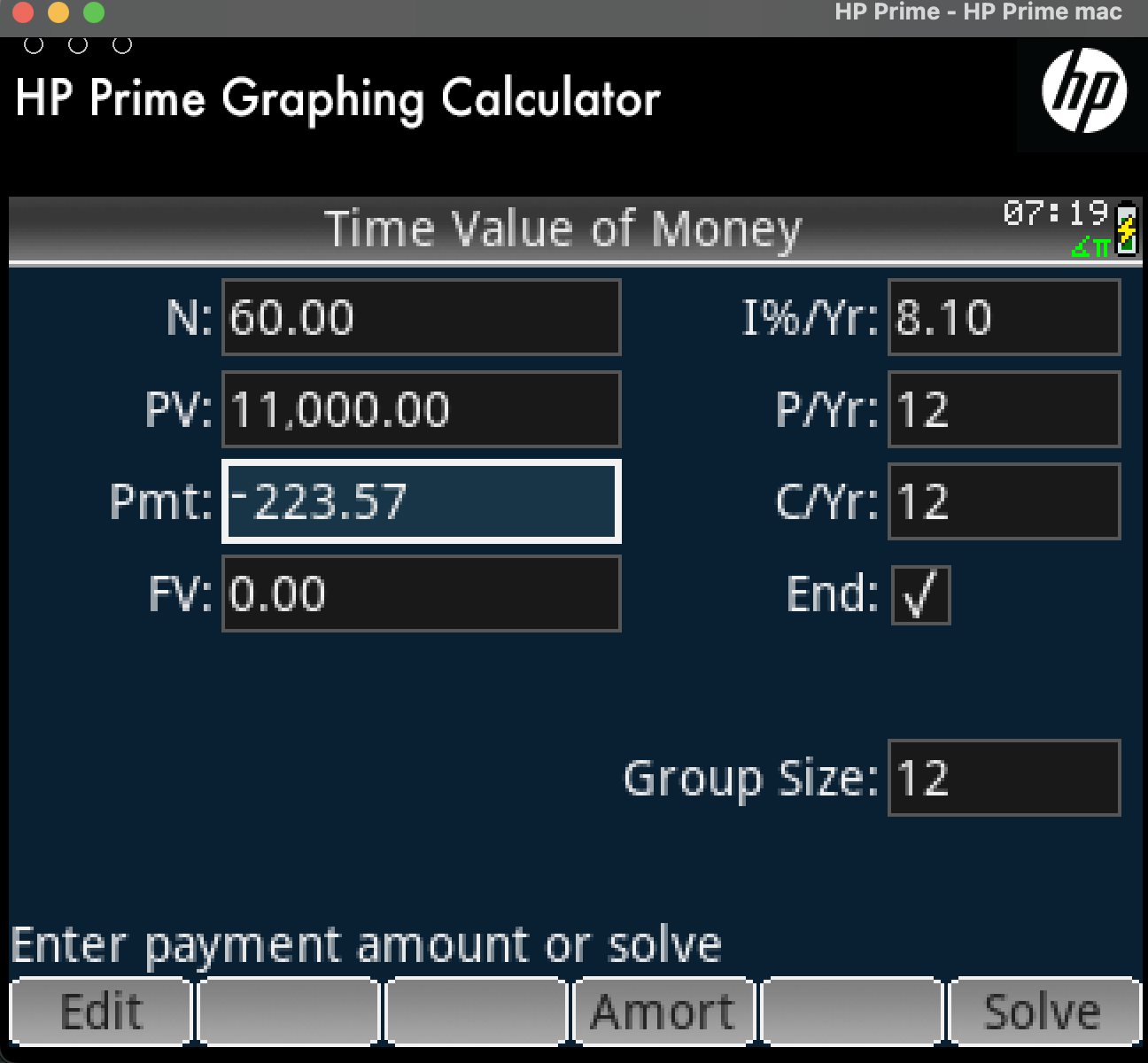
By convention the payment amount is negative since we are paying that. The total amount is positive because we receive that money. The future value is 0 since by the time the finance expires we will have paid off the whole value.
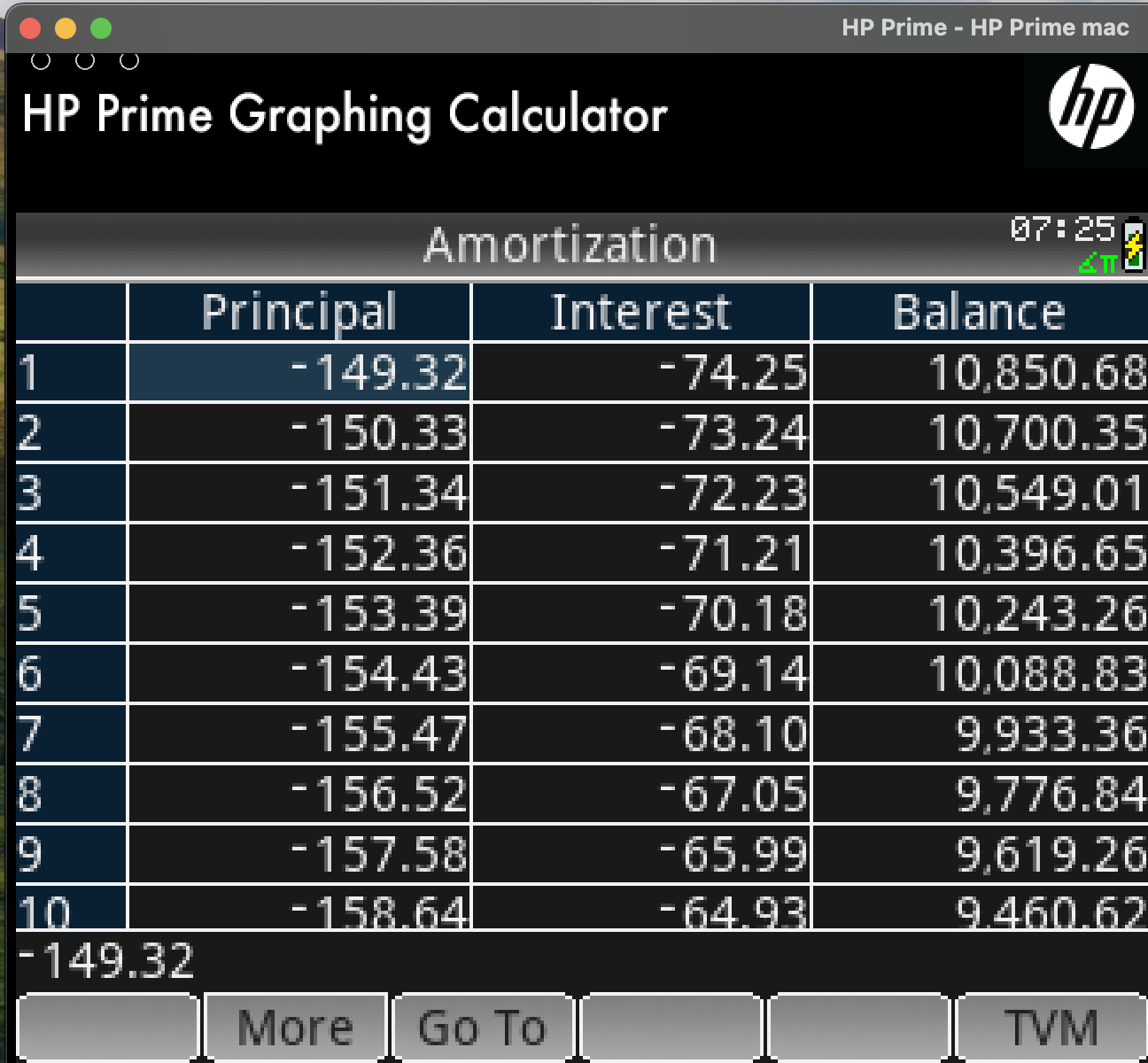
The Group size is used when we want to view the payment table, or otherwise named amortization table. It contains each payment (or group of payments) and it analyses how much of our payment is going towards interest and how much is going toward capital.
This is very important and can be used to calculate changes after early repayments. We will go through that in a later example. If we want to see the amortization table on a monthly level we use value 1 in group size, and we have the following:
Car finance 2
We mentioned how we can use the TVM solver to calculate any of the fields of the equation. Let’s do a second scenario where someone wants to buy a car but knows only how much they can afford per month (i.e. 150 bananas) and want to see how much they can borrow, with a market interest rate of 8.1%.
They can also play with the duration, they want to see if they extend the duration of the finance, maybe they can get a better car.
We will experiment with 2 scenarios, 72 months and 81 months.
72 month scenario
As previously, we fill all the known fields, we know the interest rate, the amount we can pay, the duration, but not the total amount we can borrow:
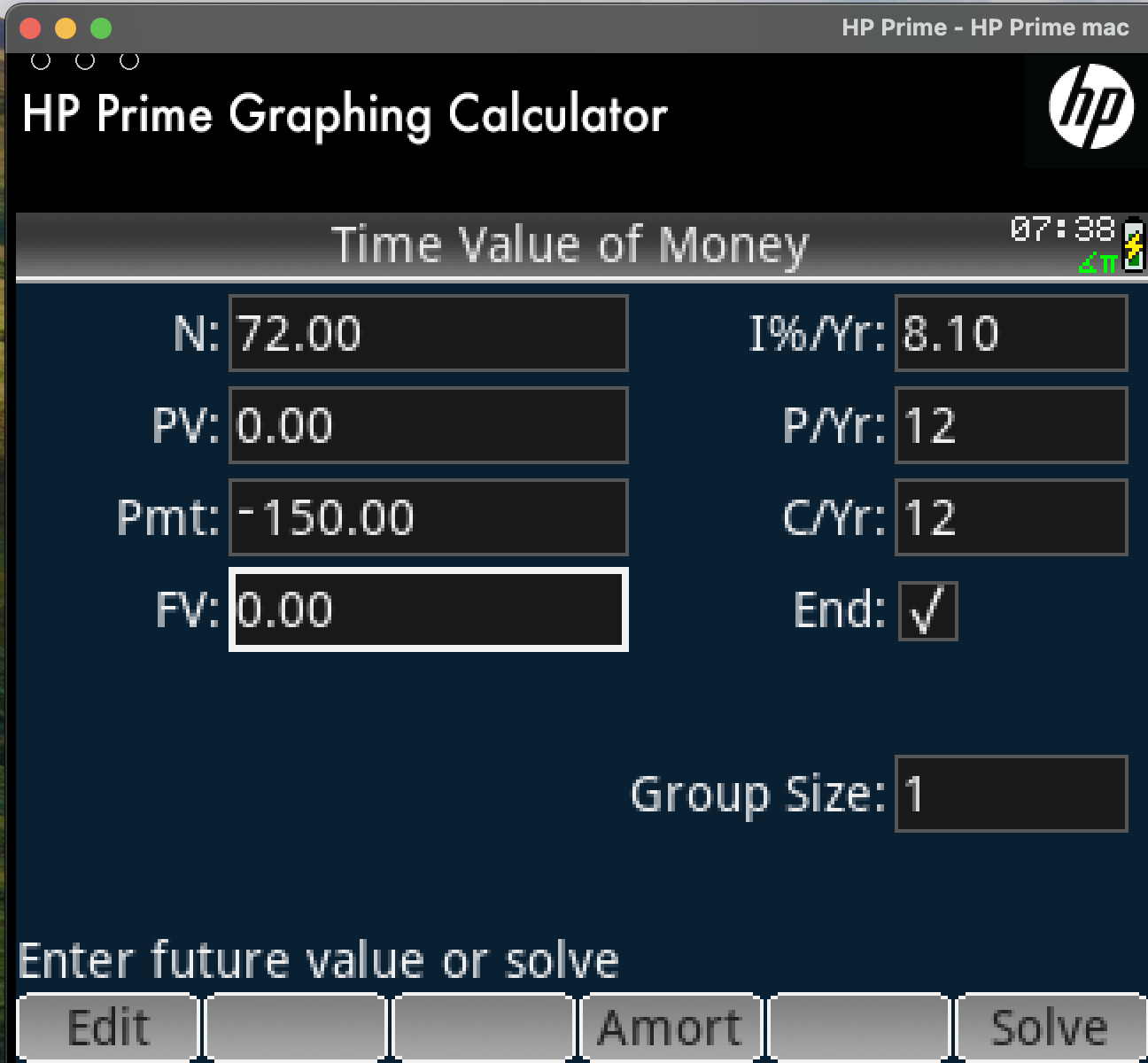
and after we do that and hit solve
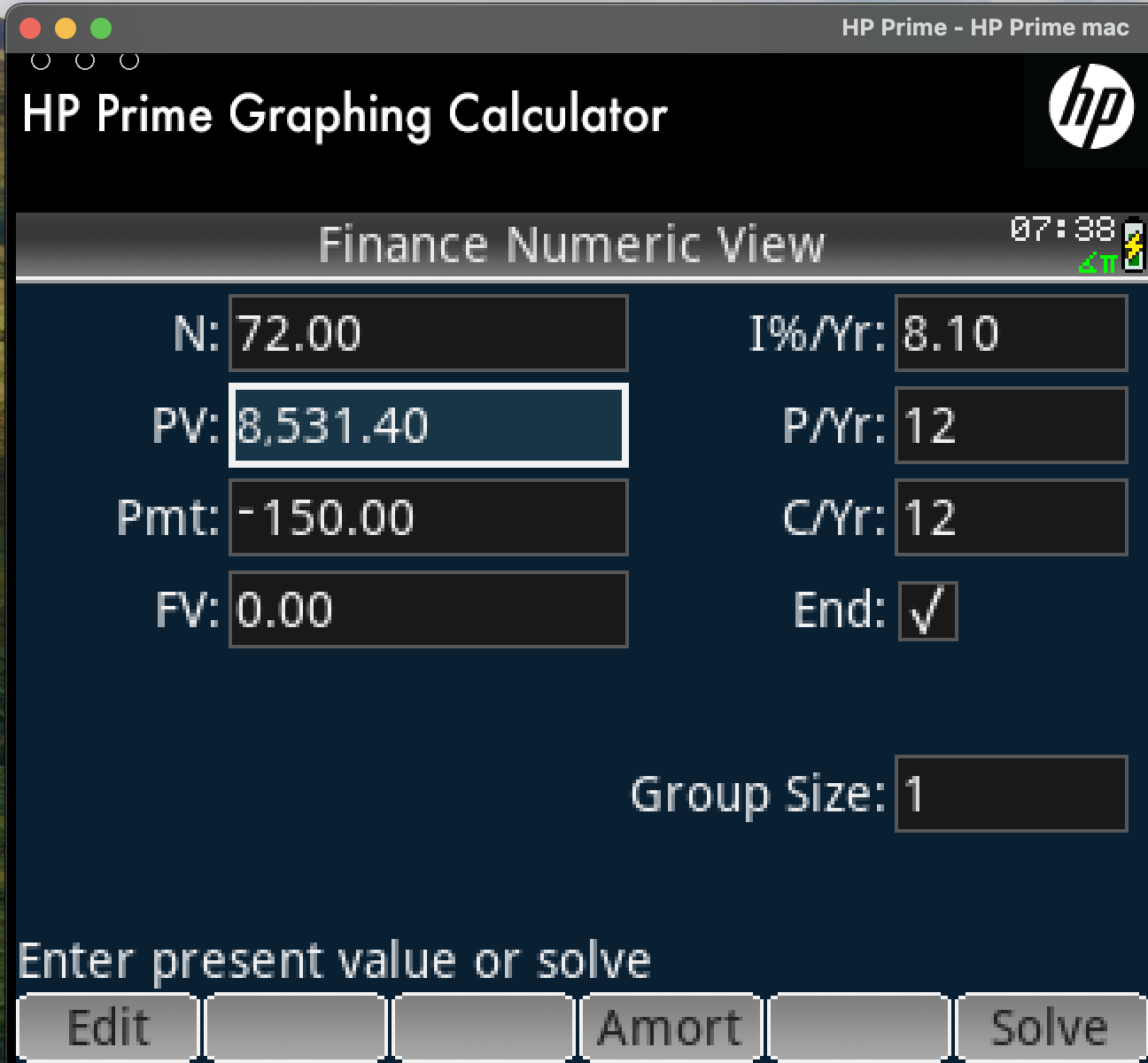
We can borrow 8.5341,40 bananas in this scenario. We will now do the same for 81 months. We will only show the form with the calculated amount
81 month scenario
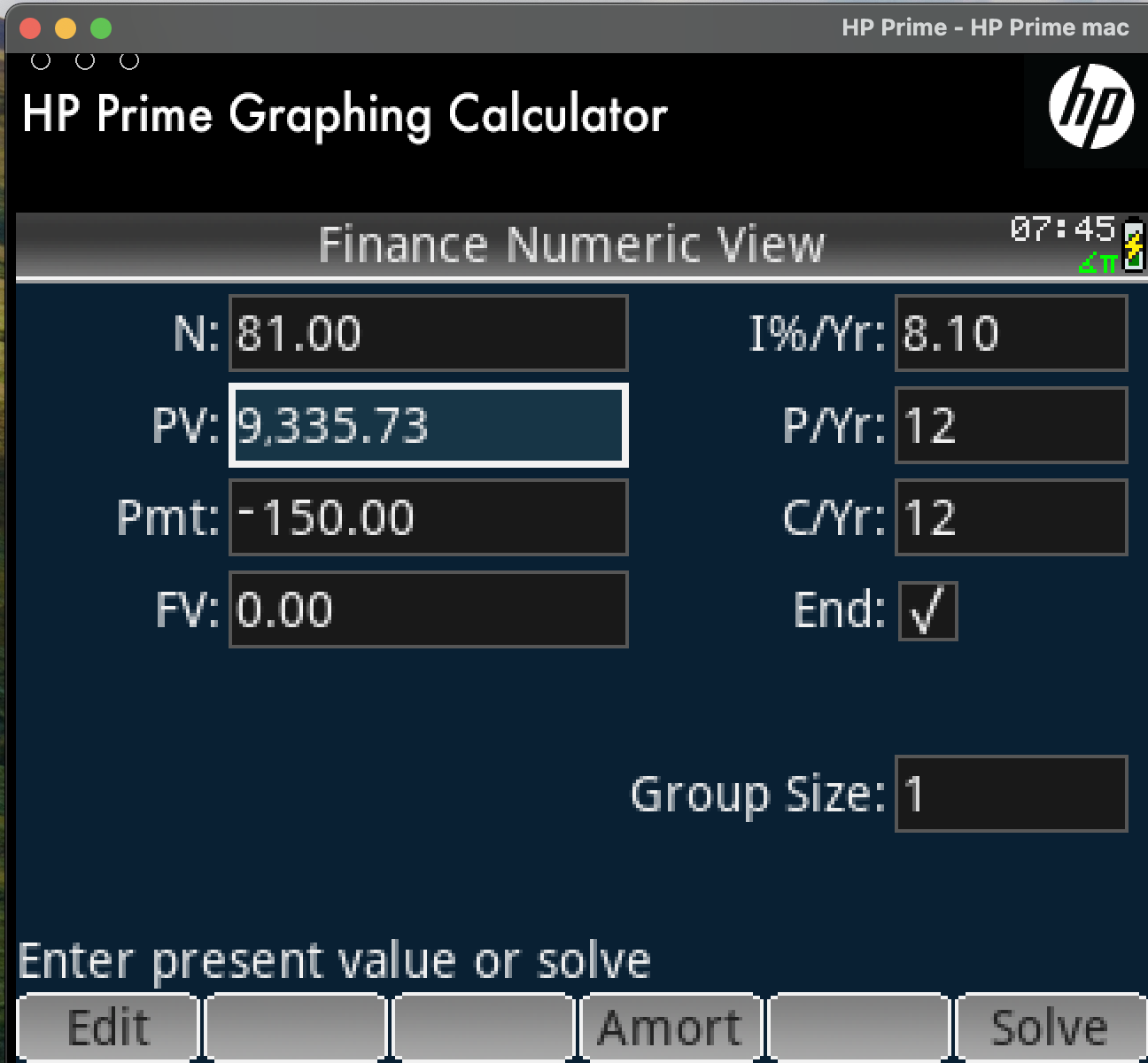
as we can see, in this case we can borrow more because we extended the duration of the finance, but we kept the monthly payment the same.
If we want to see how much we will pay in total interest for the original capital we used, we can set the group number to the number of payments and click the amort button.
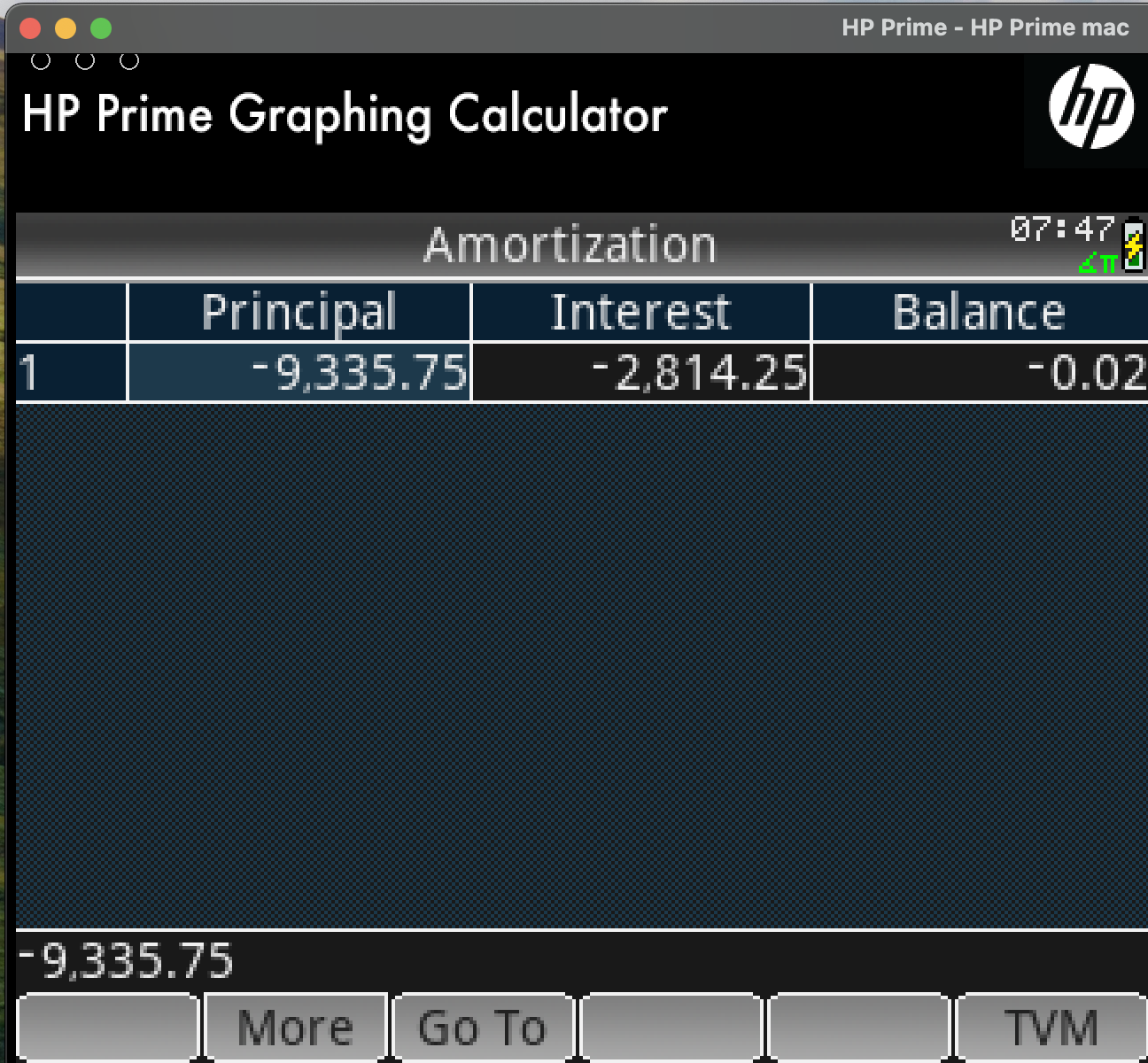
We can see that for the principal of 9.335,75 bananas we will pay interest of 2.814.25
Using TVM for investments
It is important to understand that we can use TVM for investments. We can calculate for example how much money we will get if we deposit 20.000 bananas in a savings account for 24 months with an interest rate of 3.2%:
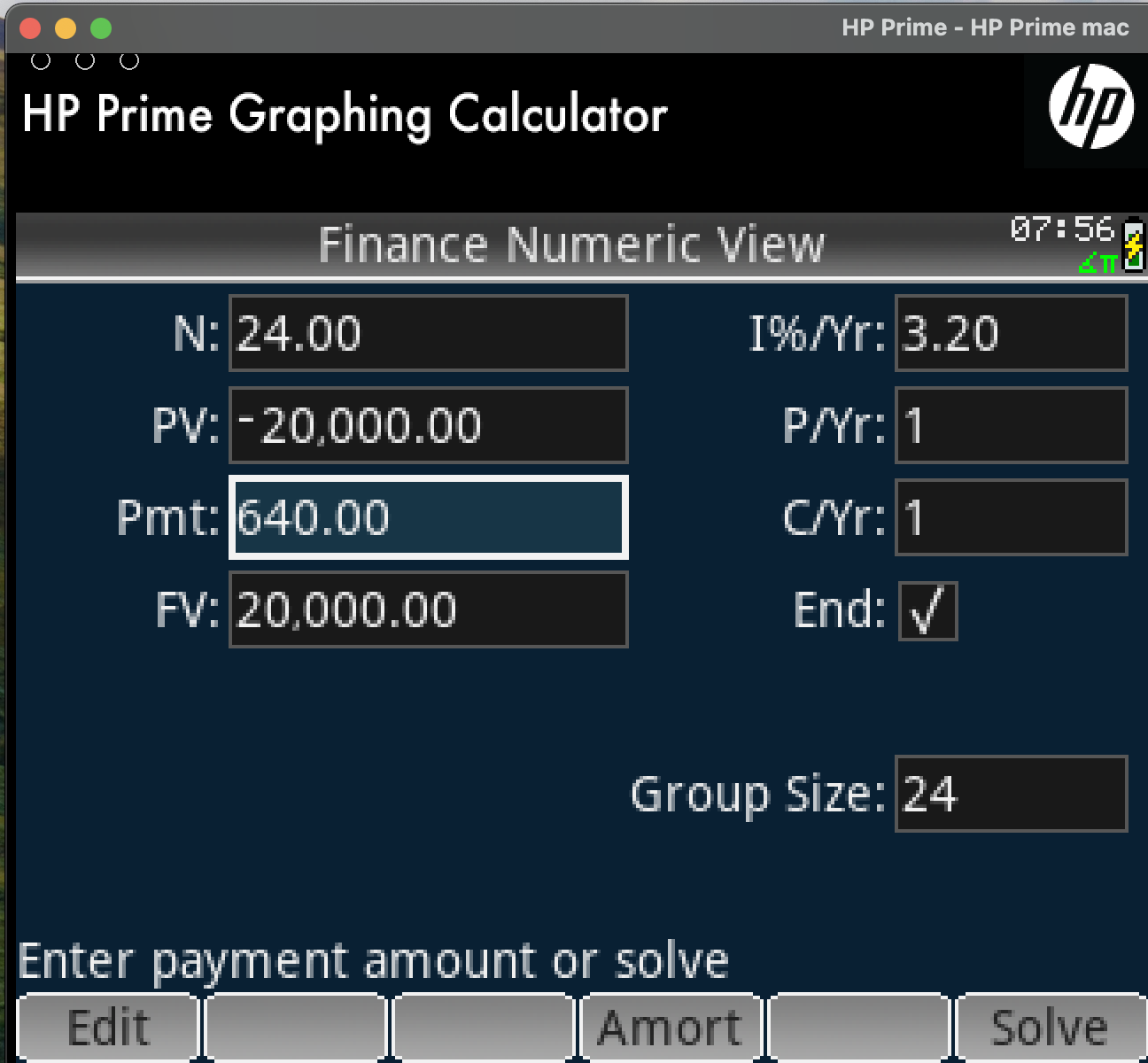
In our example we can see that we will deposit 20.000 bananas, we will withdraw 20.000 at the end of the period and our interest paid in one instalment will be 640 bananas.
Mortgage with partial overpayments
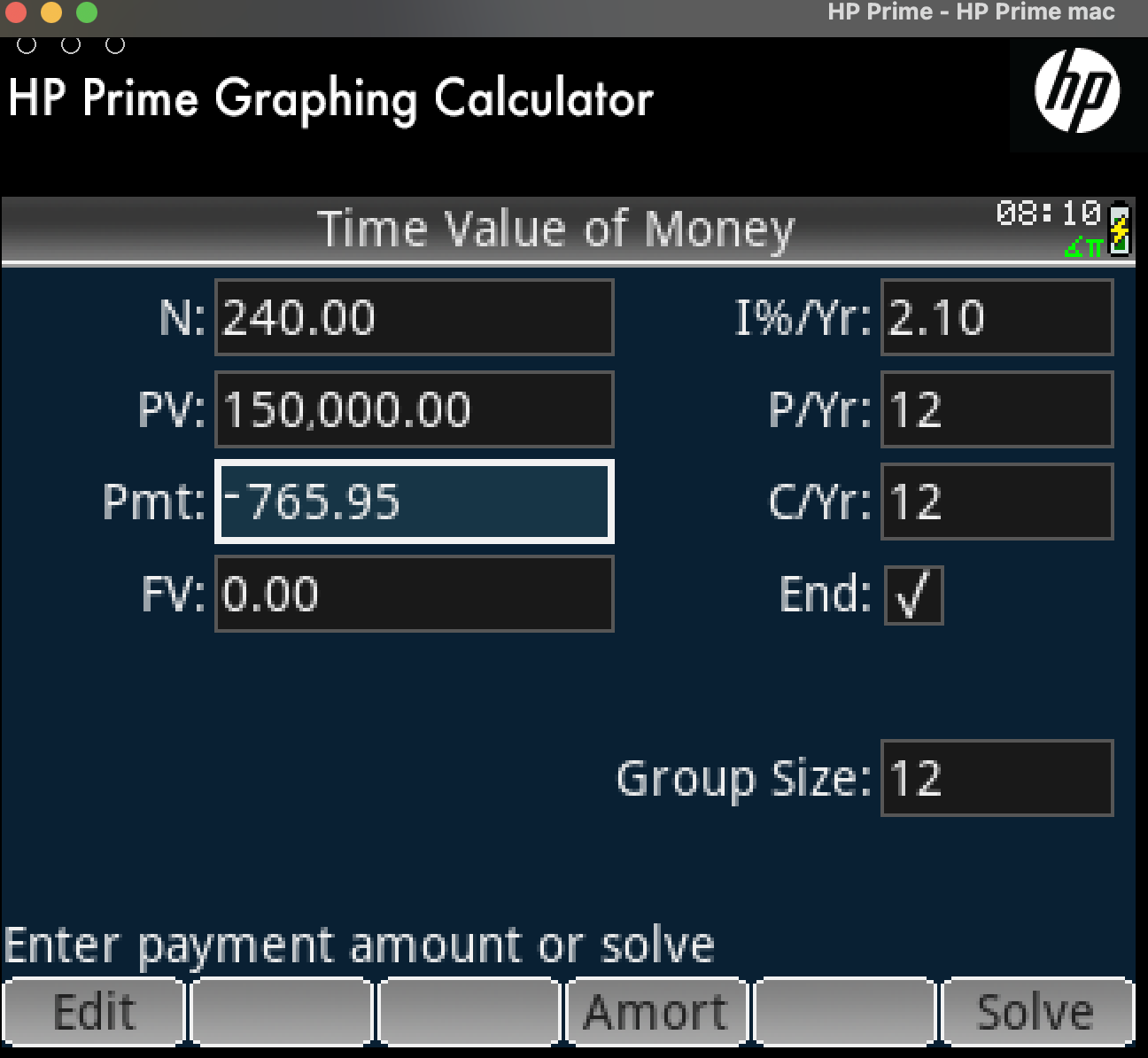
Our final and most complex example is a mortgage of someone who purchased an apartment for 150.000 bananas to be paid in 20 years with monthly payments and an interest rate of 2.1%. This person wants to pay after their 12th instalment a lump sump of 12.000 bananas because they got their bonus from their job and want to do an overpayment.
How can we calculate what will be their monthly payment after that overpayment.
The trick here is to use the amortization table to see the state of the mortgage up to that 12th instalment. When the owner does the overpayment, the amount of interest of that instalment will be paid off from those 10.000 and the remaining amount will go towards the principal.
After that payment we can calculate their mortgage again from scratch using TVM with initial mortgage amount the new principal, duration the remaining duration (240-12=228) months and the same interest rate assuming that remains stable.
If the interest rate changes at a known time, we can also use the same method to calculate re-mortgaging for fixed interest rate periods.
This is the original mortgage setup
And this is the amortization table
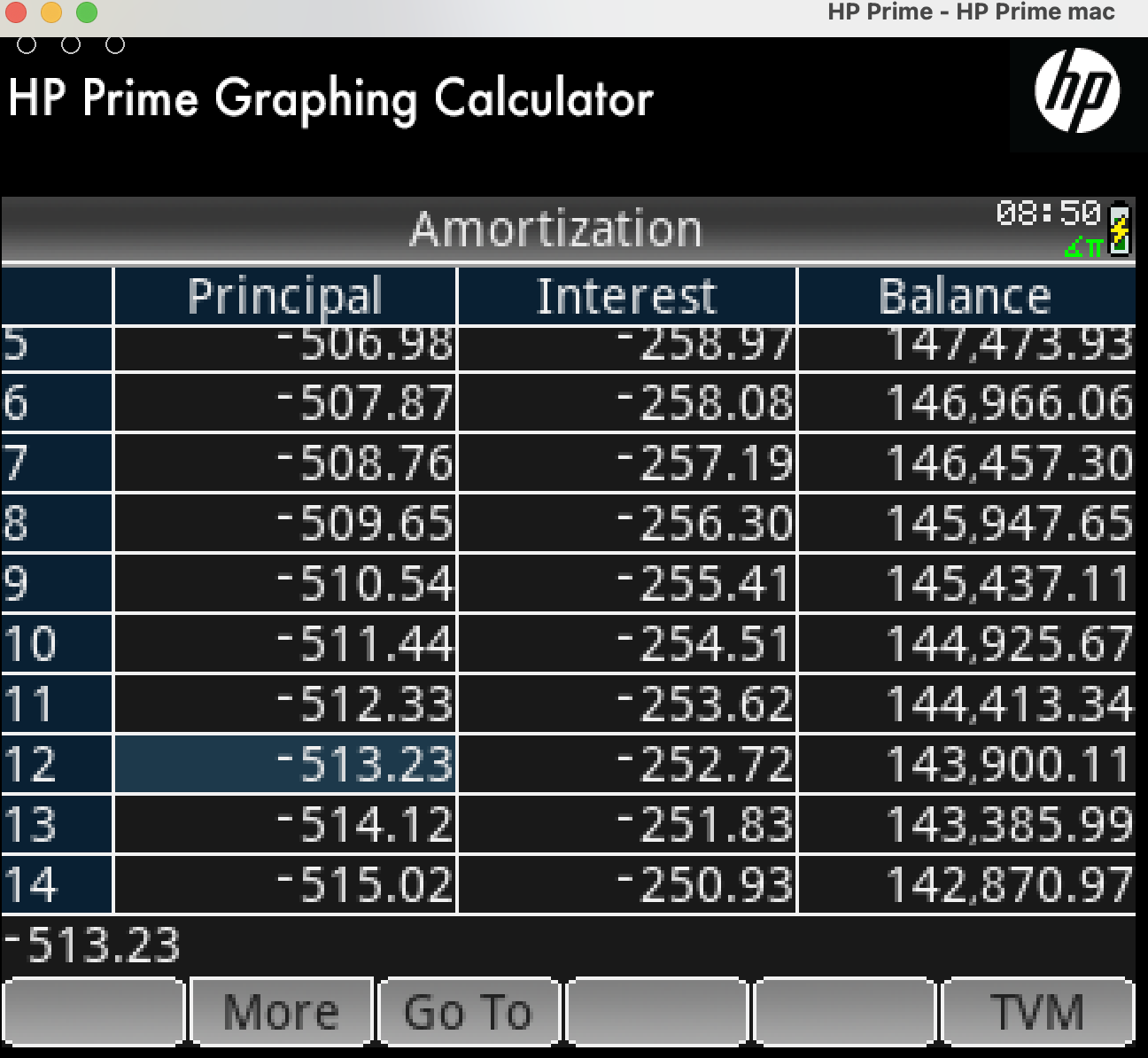
We can see that for each payment 250.93 bananas are interest and whatever remains is paid into the principal. I have highlighted payment number 12. In this case instead of the usual payment of 765.95 we will pay 10.000. From that money 250.93 will pay the interest of the instalment and the rest will be paid into the principal:
\[10.000-250.93=9.749,07\]The remaining principal at instalment number 12 is 143.900,11. This is here the remaining amount from our partial payment will be paid to:
\[143.900,11-9.749,07=134.151,04\]This is the amount we will use in our new mortgage calculation with the remaining number of payments to calculate our new monthly payment:
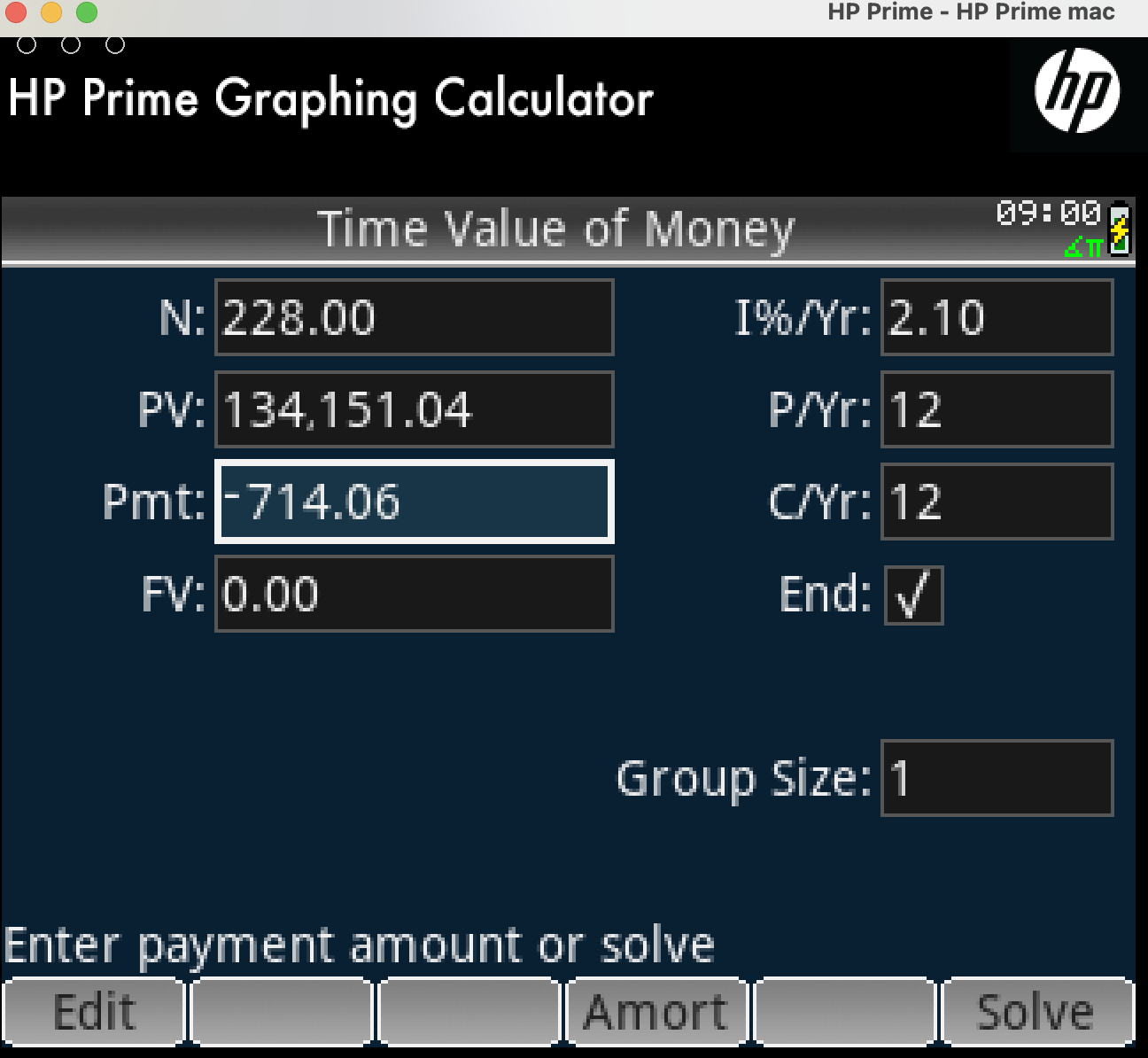
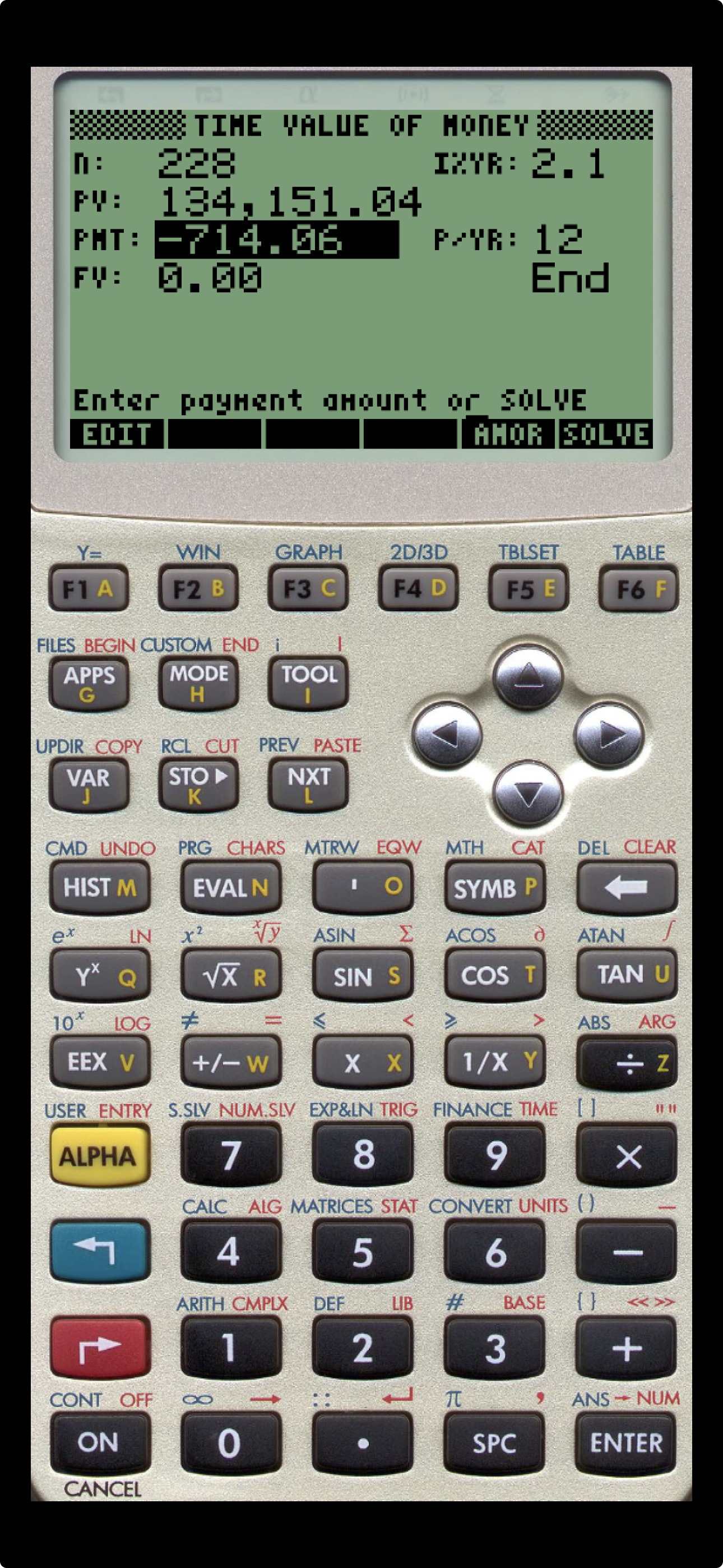
We can see that after our partial payment, the new monthly payment is now 714,06 bananas, reduced by 51.89 bananas
Alternative tools
This is all great, but a reasonable question is if you need HP Prime to do this.
The answer is no. TVM is implemented in all spreadsheets. It is also implemented in various shapes and forms in all financial calculators from most manufacturers, including Casio, Texas Instruments, HP.
There are calculator or financial apps in various phones that also support it.
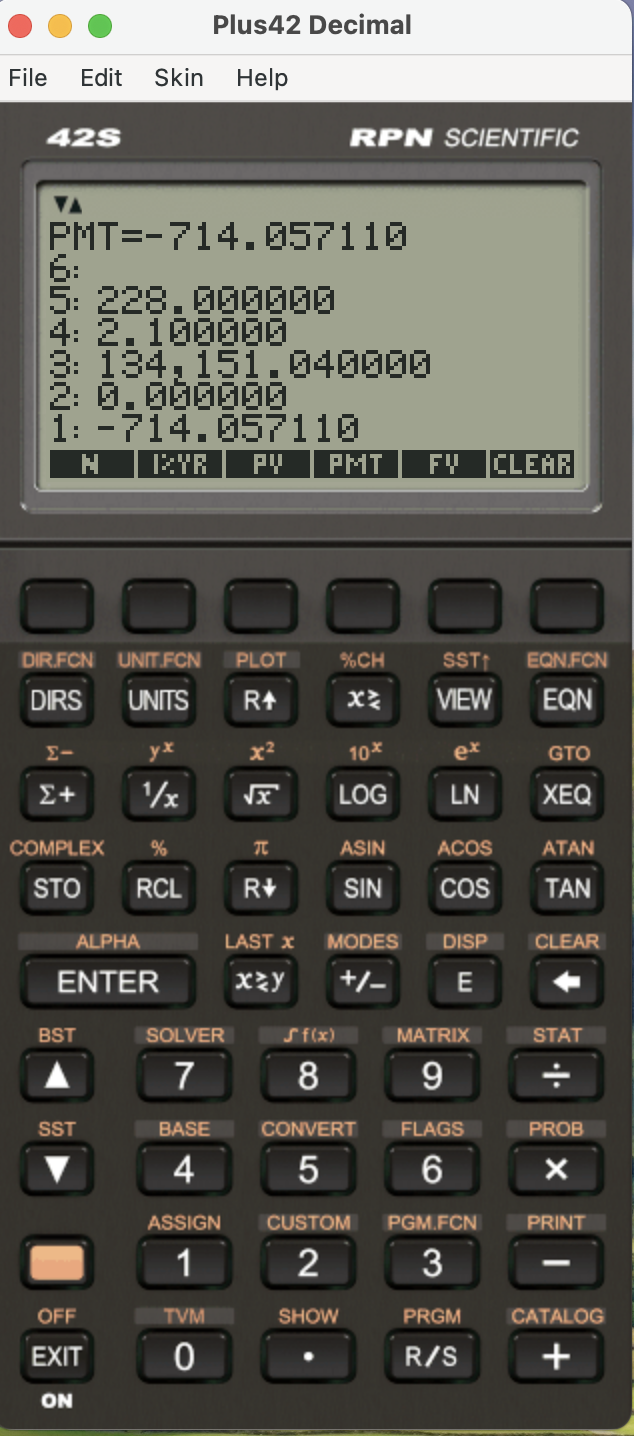
Finally, there are free simulator apps for HP calculators such as Emu48 and iHP48 for Android and iOS respectively that people can download on their phones to load an HP 50g ROM for free and do all of the above. The main difference is that the interface will be different, and if you use one of the Texas Instruments calculators you may have to use the formula form of TVM. In addition to this you could also use Plus42 which is free for a computer and cost about 10 USD for the phone.
Here is an example of that last one calculation in plus 42 on a computer. Emu48 also exists for Windows
And the same with the free iHP48 app on an iPhone. This app is running the original ROM of HP 50g, one of the flagship calculators of HP that supports all of these and is free to download for personal use.